
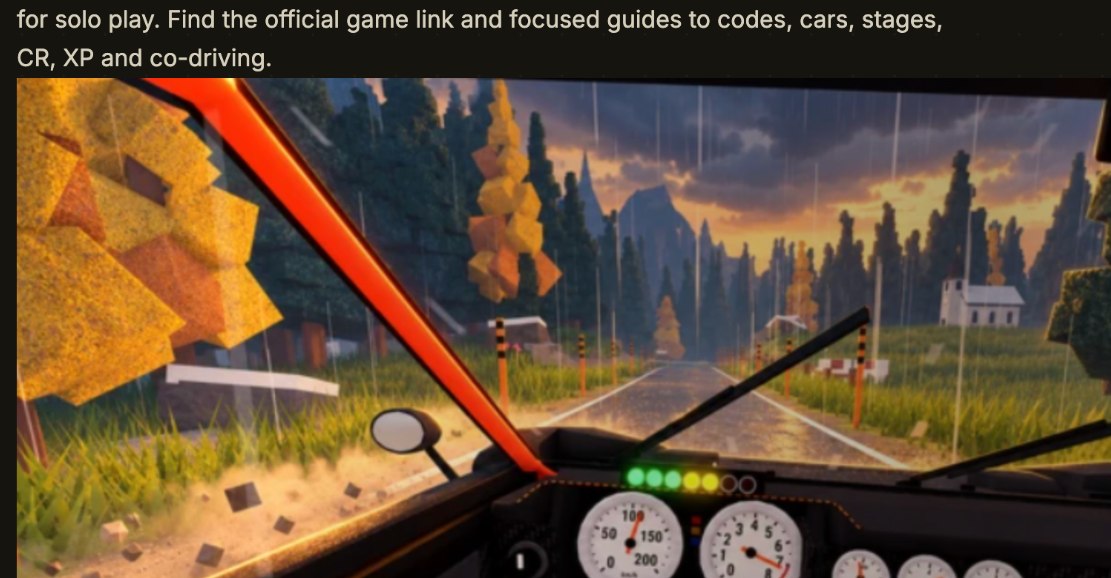
What Is Backseat Rally on Roblox?
Backseat Rally is a Roblox rally-driving experience created by the No crash plez group. Its central challenge is unusual: the driver must commit to a corner without the complete road information that a navigator can see. Your co-driver calls out bends, severity and hazards while you steer, accelerate and brake. It is a teamwork challenge as well as a driving challenge, and it also offers a solo option with an AI navigator.
The official experience is at Play Backseat Rally on Roblox. This site is an independent fan guide, not a playable mirror, a Roblox login service or an official wiki. Do not enter your password or purchase a game pass here. Game data and menu labels can change, so the interface inside the current Roblox experience always takes precedence over an older article.
Driver and co-driver: two different jobs
The driver operates the car and decides when to brake. The co-driver describes what is coming and needs to do so early enough to be useful. A slight bend calls for a different response from a hard turn or a hairpin. The useful skill is not simply hearing a command: you must turn the information into a safe speed and steering decision. New drivers should begin with a repeatable pace instead of accelerating blindly through every direction change.
Can you play Backseat Rally alone?
Yes. Publicly documented menus include an AI CO-DRIVER choice. You still drive the car; the AI provides navigation calls. To play with a person, invite a player in your server, leave the passenger seat open or choose the co-driver role yourself. The co-driver and friends guide explains these choices separately so you do not mistake an invite sent for an invite accepted.
Your First Stage: A Five-Step Quick Start
The quickest useful first run is a controlled finish, not a gold-medal speed attempt. Learn the current menu and a route before buying anything. The route you already know is the best place to compare a newly unlocked vehicle or a different driving tactic.
- Open the genuine game. Launch the Roblox experience by No crash plez. Check that it is the same title rather than an unrelated rally game or a third-party download.
- Choose to drive and select an available car. The current garage guides describe Orso 4 as the starting vehicle. If your garage looks different after a patch, trust the car tile in your game.
- Choose a navigator. Start with AI when playing solo, or send an invitation and wait until the other player actually accepts and joins your car.
- Approach the stage start. Stop inside the marked start area, read the prompt and await the countdown. Moving past the box before the start signal may leave you outside a valid timed run.
- Read the finish screen. Distinguish your route time and medal from Credits (CR), account XP, contract rewards and one-time bonuses. One unusually large payout is not a reliable per-run earning estimate.
A starter stage is useful because it gives you a baseline: finish once, look at the route's sectors and attempt a cleaner run using the same car. After that, learn one new variable at a time. The stages and gold times guide explains why a gold target needs the correct car and game version.
Backseat Rally Wiki: Find the Answer You Need
The five guides below answer different player questions. They are separate pages on purpose: codes change more frequently than level gates, and a stage record cannot answer how to invite a friend. Use the topic relevant to your next action rather than treating one huge page as every answer.
| You want to… | Start with | What you will find |
|---|---|---|
| Redeem a free reward | Backseat Rally Codes | The reported RELEASE reward, steps and error checks |
| Unlock or compare vehicles | Cars and Garage | Reported car names, account-level gates and purchase distinctions |
| Improve a timed route | Stages and Medals | Named routes, car-dependent gold targets and time-gap calculation |
| Earn Credits or account XP | CR & XP Guide | Reward line breakdown, repeatability and a run calculator |
| Drive with a friend or solo | Co-Driver Guide | Invite, open seat, AI and joining another player's car |
Codes: free CR without a third-party login
Independent publications reported RELEASE for 250 CR on October 21, 2026. That is a source-dated report, not a promise that the code works indefinitely or that we personally redeemed it. Open Backseat Rally Codes for the exact redemption path under the Game settings tab and for troubleshooting if the code was already used or later expired.
Cars: what unlocks the next vehicle?
The documented progression uses account level for many standard cars. Some offers are optional Robux early unlocks, while Credits are another currency used within the garage economy. Do not assume that saving a large CR balance automatically unlocks a car with a level gate. The car guide also explains why older descriptions mention seven cars while more detailed garage screenshots list ten entries.
Stages: medals are not the same as your personal best
Independent game captures describe Pine Forest, Alpine Pass, Sakura Pass, Riverbend Canyon and Costa Limone. A gold target shown for Orso 4 cannot safely be treated as the target for every different vehicle. The stage guide includes a small time-gap tool: enter a target and your result to learn the time you need to save, with no invented universal benchmark.
Credits and XP: learn what actually repeats
CR is a spendable Credits balance. Account XP contributes to account levels and therefore certain unlocks. Stages can provide base rewards, while medals, daily firsts, contracts, level-ups and first-gold achievements may add situational rewards. Visit the Credits and XP guide to record your real run results without adding the same bonus twice or mistaking your accumulated wallet for a single-run payout.
Co-driver: friends, open seats and AI
A real co-driver is a passenger and navigator, not another person controlling the steering wheel. If you want a named friend, use INVITE and verify acceptance. LEAVE SEAT OPEN is useful when you welcome another player; AI CO-DRIVER keeps solo practice possible. Use the co-driver setup walkthrough to find your mode and diagnose invite issues.
Controls and First-Run Mistakes
Desktop-oriented references describe controls such as opening the garage with C, using Enter to confirm certain prompts and E near a car offering the Co-drive interaction. These are documented keyboard examples, not guaranteed phone or controller controls. Check the input prompt in your game before assuming a particular button exists on your device.
Stage start box and countdown
For a timed run, drive into the marked box and stop when the UI requires it. Read the START STAGE action and await GO. If nothing happens, distinguish a missed start area, an unfinished passenger invitation and a countdown already in progress. These three situations look similar to a newcomer but need different fixes.
Learning pace notes instead of guessing corners
The navigator may indicate turn direction and severity. Respond to a hard warning before the corner rather than steering abruptly at the last instant. Smooth braking, stable entry and a controlled exit often matter more to a beginner than the car's theoretical maximum speed. Keep voice calls short and consistent when driving with a friend.
Compare like with like
When evaluating improvements, keep the route, car and current handling setting the same across runs. After a change of vehicle, check the active medal panel again. Separate stage targets from personal bests and leaderboard times. If a value was copied from a guide dated earlier than the current game update, treat it as a reference, not as evidence that the game is wrong.
Accuracy, Sources and Update Notes
This site uses the official Roblox experience for game identity and public walkthroughs for details that are not independently tested by us. The base research was reviewed on October 21, 2026, including Bloxron's Backseat Rally hub and independent game records at Rival Ducks. Published screenshots and a live game session can disagree after updates; when they do, the current in-game menu takes priority.
One visible conflict is the car count: the public game description has said seven cars, while an illustrated October 20 garage directory includes ten entries, one of them associated with a separate pass. We do not turn that conflict into a certain live count. Likewise, a code marked active in a published article may be expired by the next patch. We distinguish reported status from our own testing and leave unconfirmed numerical claims out of the headline.
This independently maintained guide is neither endorsed by Roblox nor run by the game's creator. It does not request Roblox credentials, sell digital goods or promise any Google search ranking. Content should change when verified facts change; changing a date alone is not a content update.